


Cable Management 101: Techniques for a Flawless Rack
, 2 min reading time
, 2 min reading time
A well-organized rack is not just about aesthetics — it's also about efficiency, safety, and ease of maintenance. Cable management is one of the most visible and often most neglected elements in an installation. In this guide, we share the best techniques to transform your rack into an example of professionalism.
The temptation to connect everything quickly is strong, but good planning makes all the difference:
Define cable routes (sides, rear, horizontal guides).
Separate data and power cables to avoid interference.
Measure distances and choose patch cords of the right size.
💡 NetPatch tip: never buy only long cables "just in case". Excess cable accumulates and compromises the look of your rack.
Cable choice directly impacts organization and performance.
Slim cables (2.5 mm or less): ideal for high port density.
Different colors: help distinguish functions (uplink, PoE, specific VLANs).
Quality: prefer Cat6 or Cat6A to ensure performance and avoid future replacements.
These are what give structure to your rack:
Horizontal guides: align patch cords at each U.
Vertical guides: channel large quantities of cables to the PDU or patch panel.
Ring or bar organizers: useful for keeping cables grouped without strangling them.
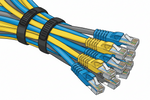
Reusable velcro: replaces plastic ties and allows for future adjustments.
Cable comb: ideal for untangling and aligning multiple cables before they reach the patch panel. Used before velcro, it creates uniform and parallel bundles that improve both aesthetics and airflow.
Without labels, even the most beautiful rack can be a nightmare when you need to make changes.
Use labels on both sides of the cable (origin and destination).
Create a correspondence table between ports and devices.
Always update documentation when you make changes.
Poorly organized cables block air flow and increase equipment temperature.
Avoid accumulating cables in front of switches and servers.
Leave space behind for air to circulate freely.
In closed racks, consider adding extra fans.
A well-maintained rack is a business card for your installation:
Keep cables parallel and aligned.
Use color patterns (e.g., blue for data, yellow for PoE, red for uplinks).
Fill patch panel ports in sequence, without skipping positions.
Good cable management is more than organization: it's functionality, safety, and confidence. By investing time and care in this step, you gain a rack that not only impresses visually but also makes any future maintenance easier.
At NetPatch, we provide slim patch cords, cable guides, cable combs, patch panels, and all the accessories you need to transform your rack into an example of professional organization.


